Training
Model crawlers
Bulk crawls that feed future models. Allow or block them in robots.txt, right next to the data.
- GPTBot
- ClaudeBot
- CCBot
Open source · Apache-2.0 · Version 1.0 is close
Built for the web that software reads and writes. Every page starts as a typed entity, so search engines, answer engines and AI agents all see the same thing. Agents publish through the same rules as your team, and you can see which AI read which page. Open source, in one Go binary.
docker compose up
What ships in core
Each of these comes with Hatamoto and reads from the same entity model. Your schema markup can't drift from your sitemap, and your sitemap can't drift from the page.
Content types are JSON Schemas with schema.org annotations and a URL pattern that can include dates and parent pages. Pages, posts, services and people are all entities.
A page builder with live preview, and a writing view with a slash menu, autosave, revisions and an SEO and answer panel. Entity links stay valid when a slug changes.
Typed JSON-LD for every entity, FAQ and Claim markup, a public knowledge graph, and llms.txt with a per-page opt-out.
Meta and canonical fields on every entity, redirects with wildcards, a 404 log, and internal links that add themselves from rules you set once.
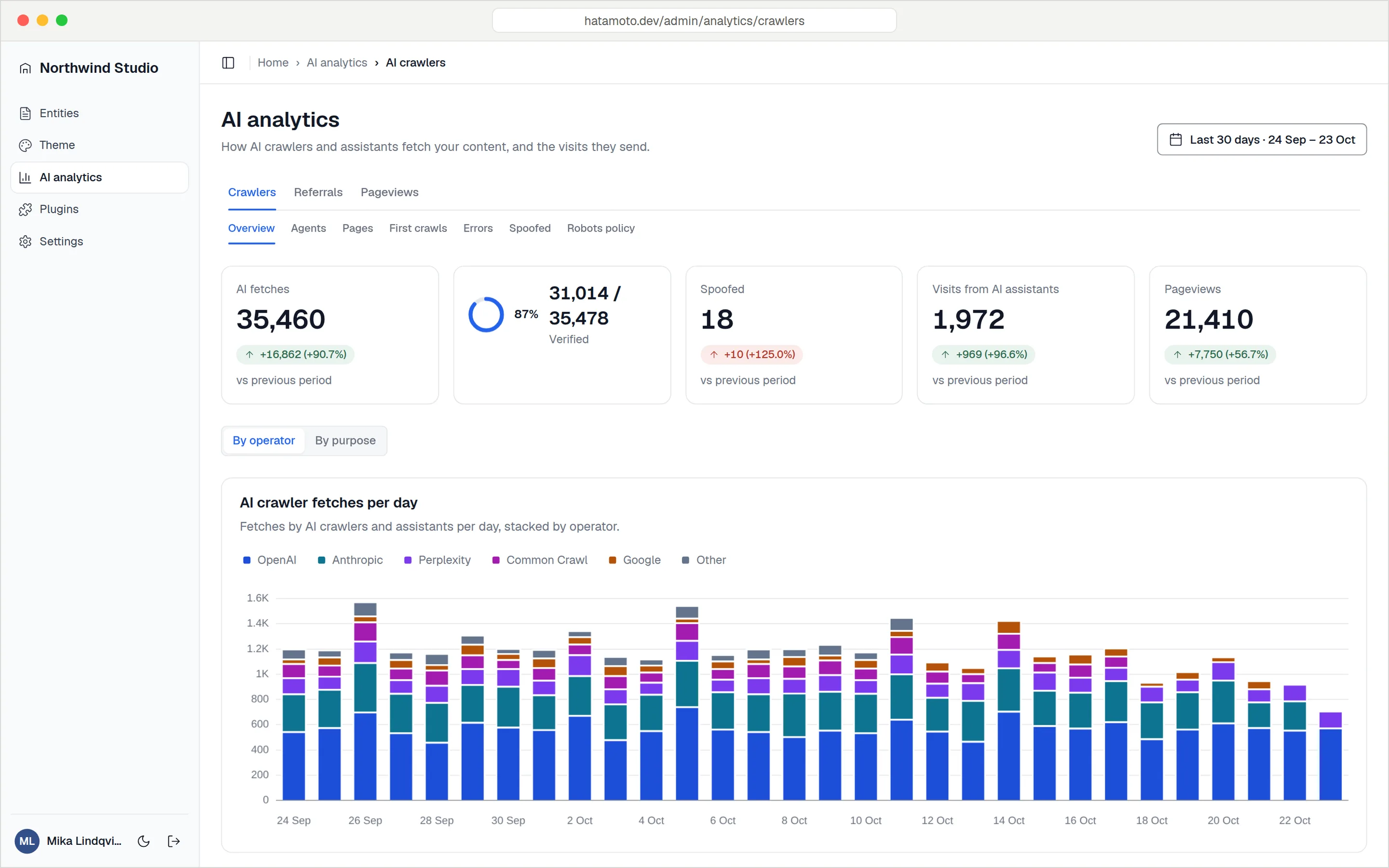
See which AI crawlers and assistants fetch your pages, why they fetch them, and whether the traffic really comes from them.
An MCP server at /mcp and a CLI use the same services as the admin, with scoped API keys and an audit log of every call.
Every author is a person entity with a photo, job title, bio and profile links, published as Person JSON-LD on their profile and on every post.
Pageviews and AI referrals are counted on the server and rolled up daily in your own Postgres. No visitor profiles, no third-party script.
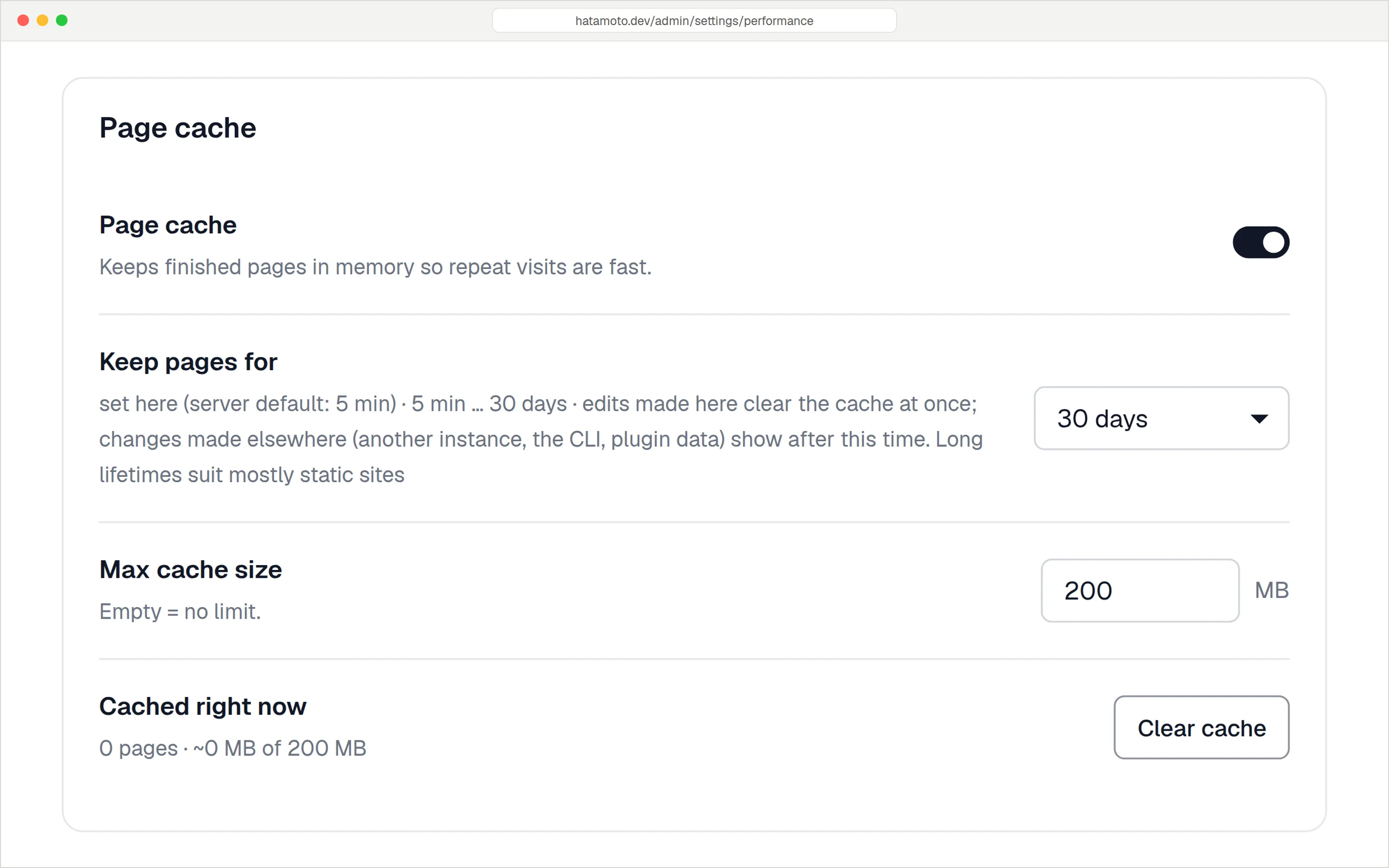
Pages are rendered by Go templates and served from an in-memory cache that clears itself when content changes, with preload from the sitemap.
A sitemap index with groups, a readable view for people, RSS and Atom feeds, and robots.txt with an AI crawler policy.
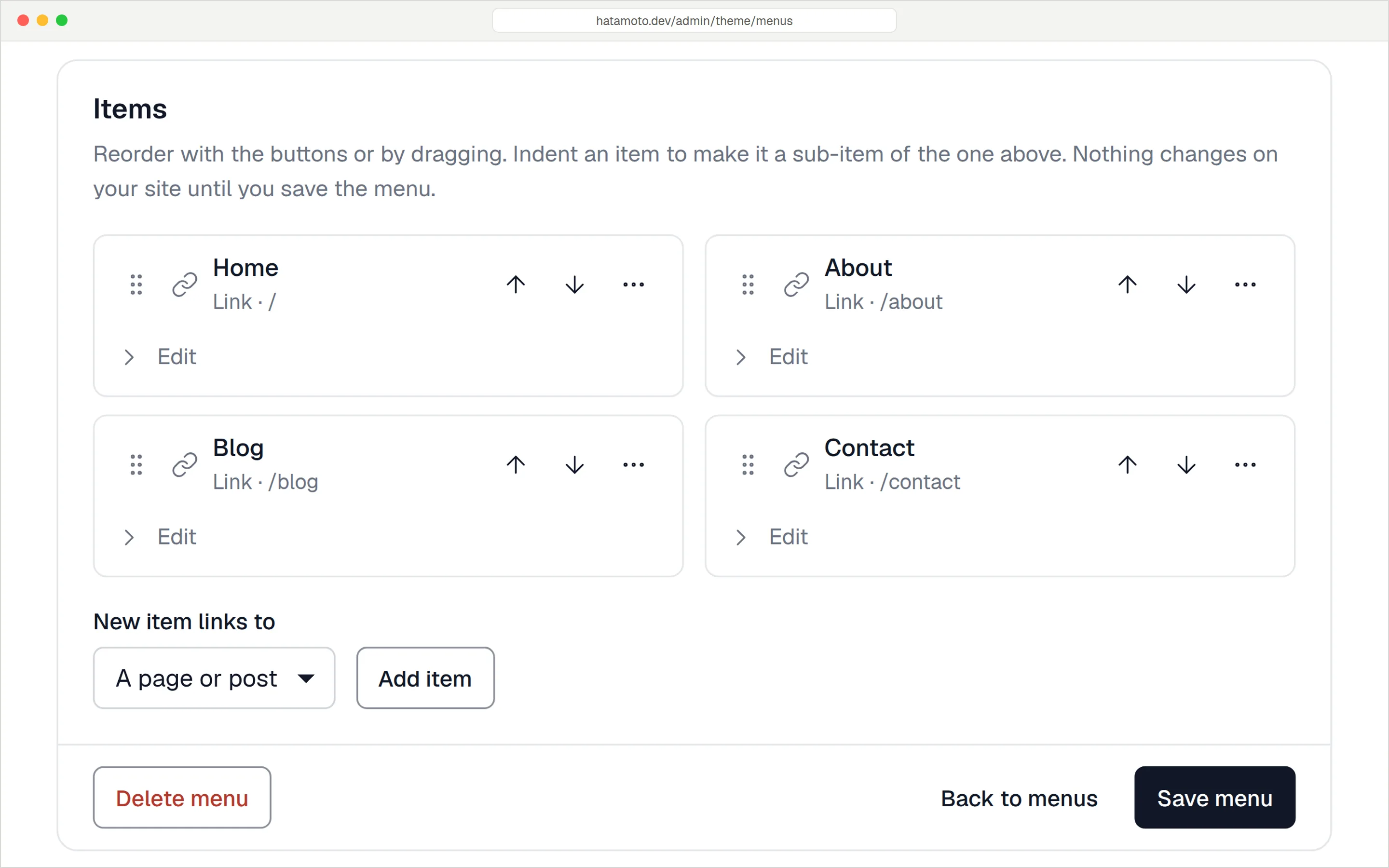
A form builder with ten field types, spam protection, email notifications and CSV export, plus nested menus placed where your theme shows them.
Upload once. Hatamoto checks the file, creates resized WebP variants, and you pick images straight from the editor.
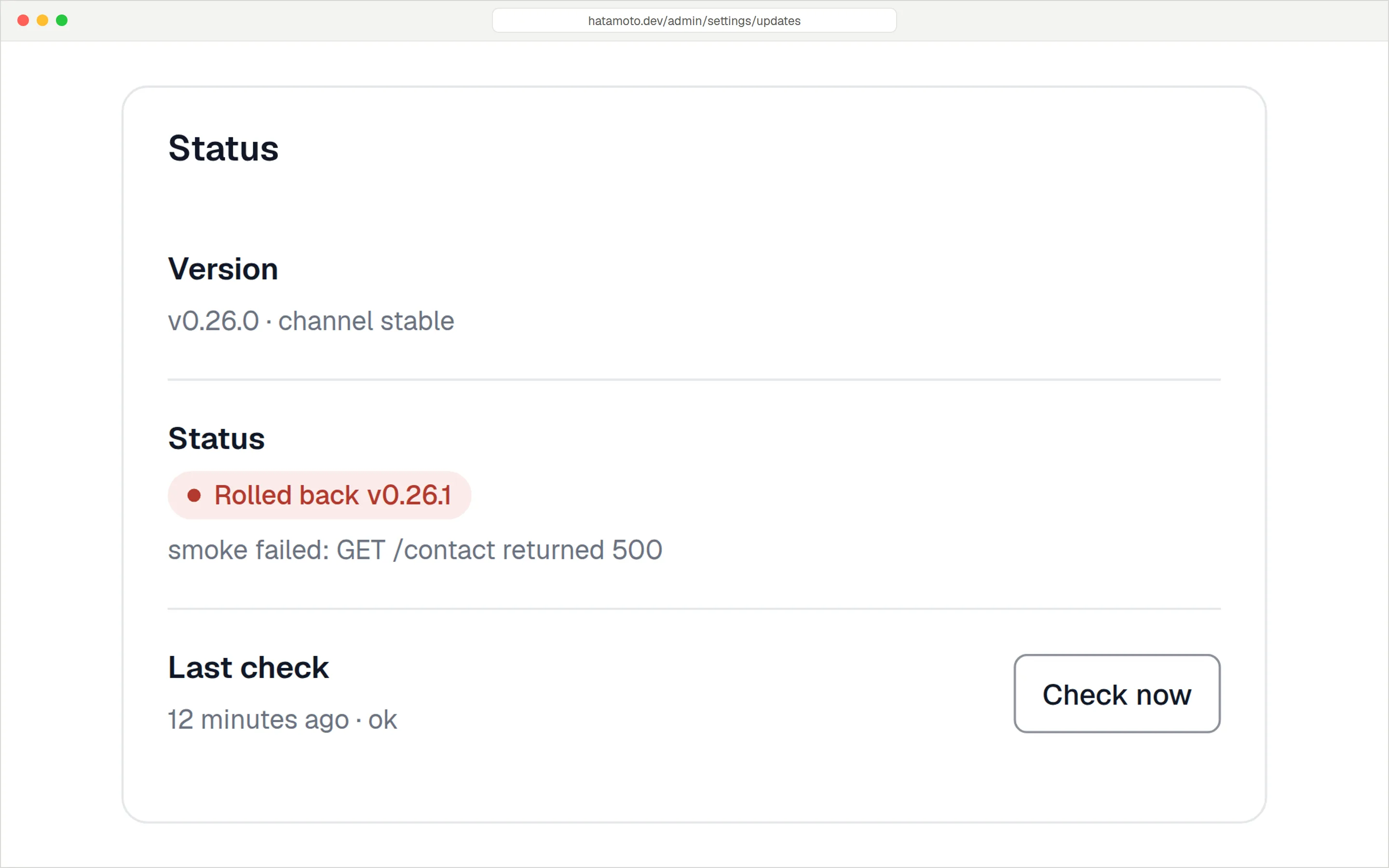
Signed releases install in your maintenance window. If the site fails its checks afterwards, the previous version comes back on its own.
Plugins are WebAssembly modules with their own Postgres schema and only the permissions you grant. Signed packages install without a restart.
Import from the REST API or a WXR export. Old URLs keep working, SEO titles carry over, and a URL audit checks every old address.
Why entities first
Most CMSs store a page as a block of HTML and leave plugins to guess what it means afterwards. One plugin adds the schema markup, another builds the sitemap, and a third writes llms.txt. They all read the same page and they all reach slightly different conclusions.
Hatamoto works the other way round. You describe the thing first, for example a service, a location or a person, and say which schema.org type it is. The public page, the structured data, the sitemap entry and the AI summary are all generated from that one record, so they can't contradict each other.
Fields are validated against the schema when you save. Rich text is sanitised on the way in, so it stays clean even when a plugin edits it through the entity.before_save filter.
Each schema owns its URL pattern, including dated and nested paths. Archives and canonical URLs are worked out from the model, and redirects are written for you when content moves.
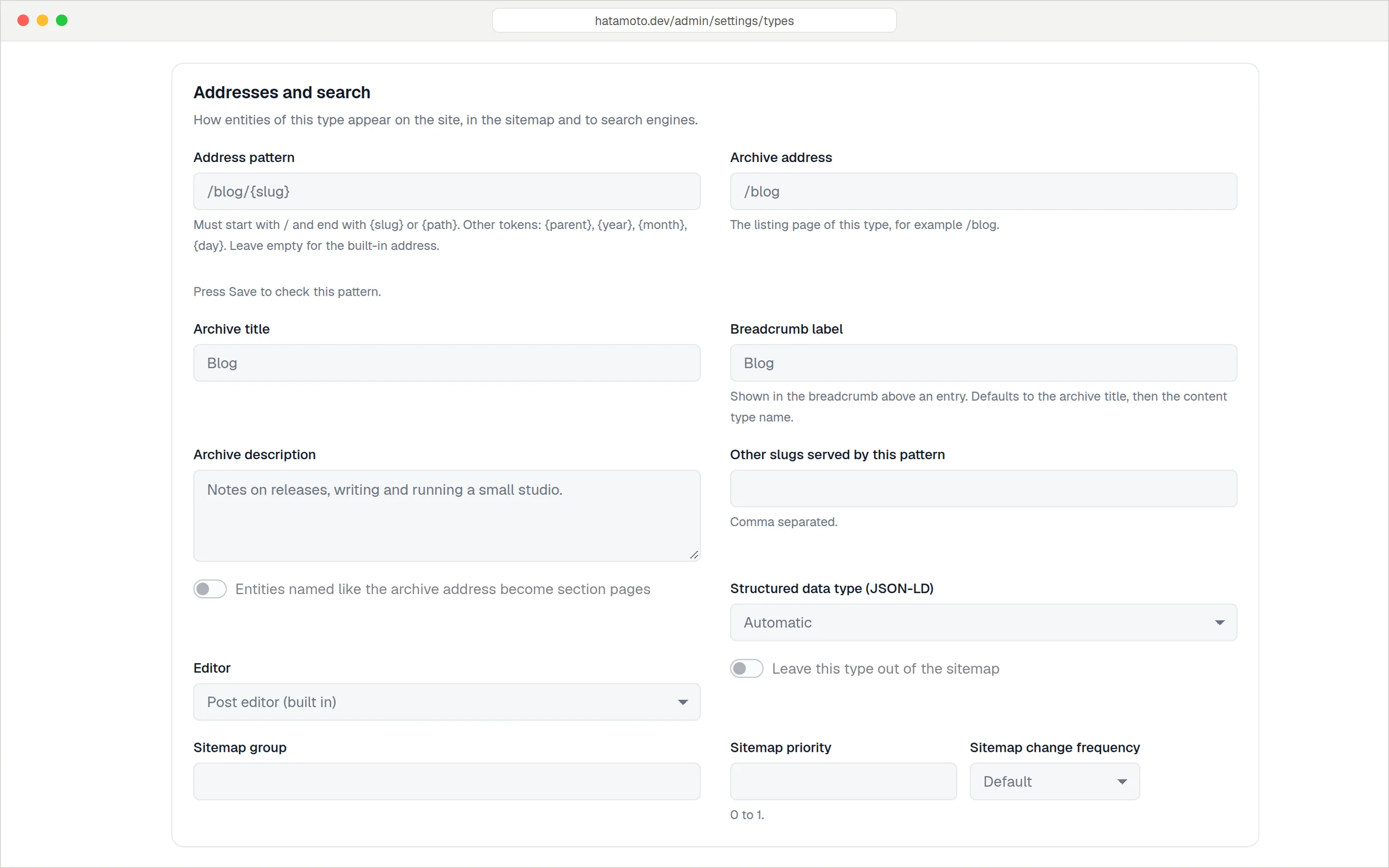
Each content type owns its address pattern, archive and structured data type.
AEO · GEO · SEO
Classic SEO and AI answer visibility need the same thing: clean, structured, verifiable content. Hatamoto handles both from the core.
<!-- generated from the entity, not a plugin -->
<link rel="canonical" href="…/services/emergency-plumbing">

<script type="application/ld+json">
{
  "@context": "https://schema.org",
  "@graph": [
    { "@type": "Service",
      "name": "Emergency plumbing",
      "areaServed": "Melbourne" },
    { "@type": "FAQPage",
      "mainEntity": [{
        "@type": "Question",
        "acceptedAnswer": { "@type": "Answer" }
      }] }
  ]
}
</script>Agent analytics
Hatamoto logs AI crawler visits on the server, with no JavaScript tracker. Each hit is sorted by purpose, the bot's IP is checked against the operator's published ranges, and every fetch is tied to the entity it hit.
Training
Bulk crawls that feed future models. Allow or block them in robots.txt, right next to the data.
Search index
Crawlers that build the indexes AI search answers from. If they don't fetch a page, it can't be cited.
User fetch
Someone asked an assistant a question and it opened your page to answer. This is the signal that matters most.
The IP is checked against published ranges and confirmed with reverse DNS. Spoofed user agents are flagged.
The blog editor shows AI crawler activity for the post you are writing.
See when each agent first fetched a new or updated page.
Visits from chatgpt.com, perplexity.ai and claude.ai are counted per assistant and per day.
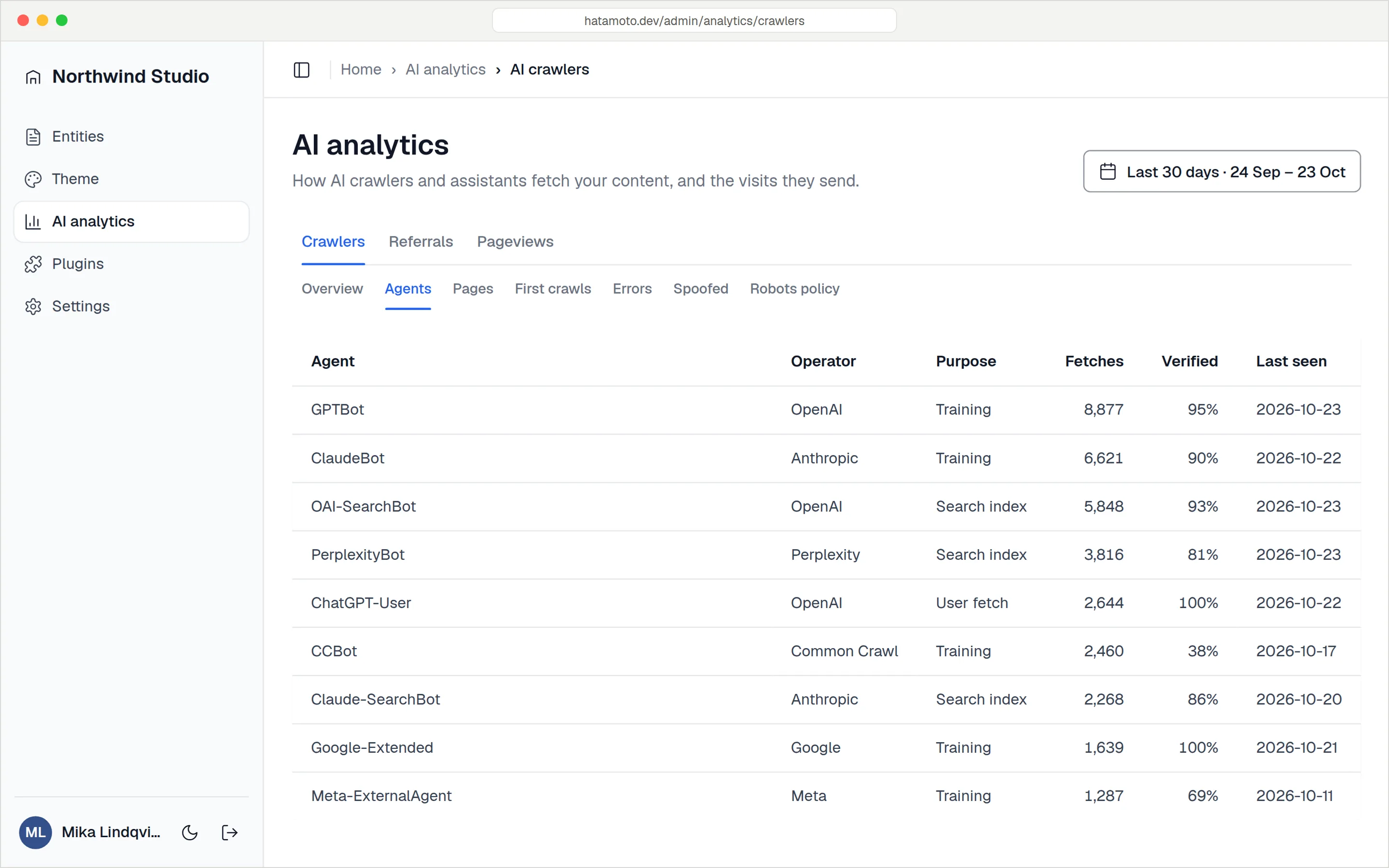
Every agent by name: who runs it, why it fetched your pages and how much of its traffic was verified. Demo data.
AI publishing
Within a few years an AI agent will draft the weekly post, refresh the prices on a service page, add a new suburb to a location page and fix the broken link a crawler found overnight. A CMS built for one person clicking buttons in a browser has no safe way to let it.
Typical CMS
Hatamoto
Let AI agents work through the CMS
Agents call the same services as the admin, so validation, slug rules, HTML sanitising, plugin hooks and cache invalidation behave the same whoever makes the change.
{ "mcpServers": {
    "hatamoto": {
      "url": "https://example.com/mcp",
      "headers": {
        "Authorization": "Bearer nxk_…" } } } }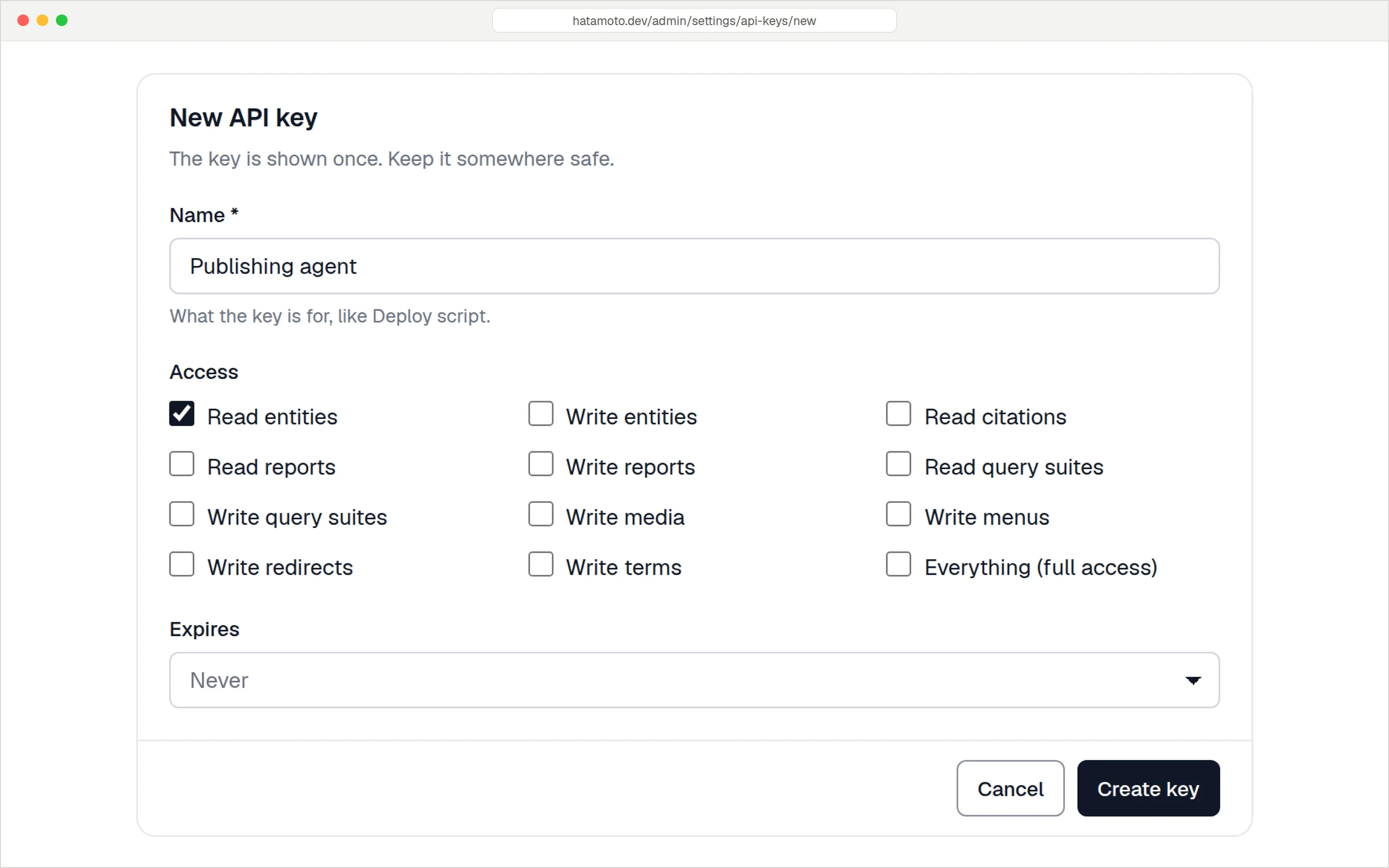
One key per agent, with only the access it needs.
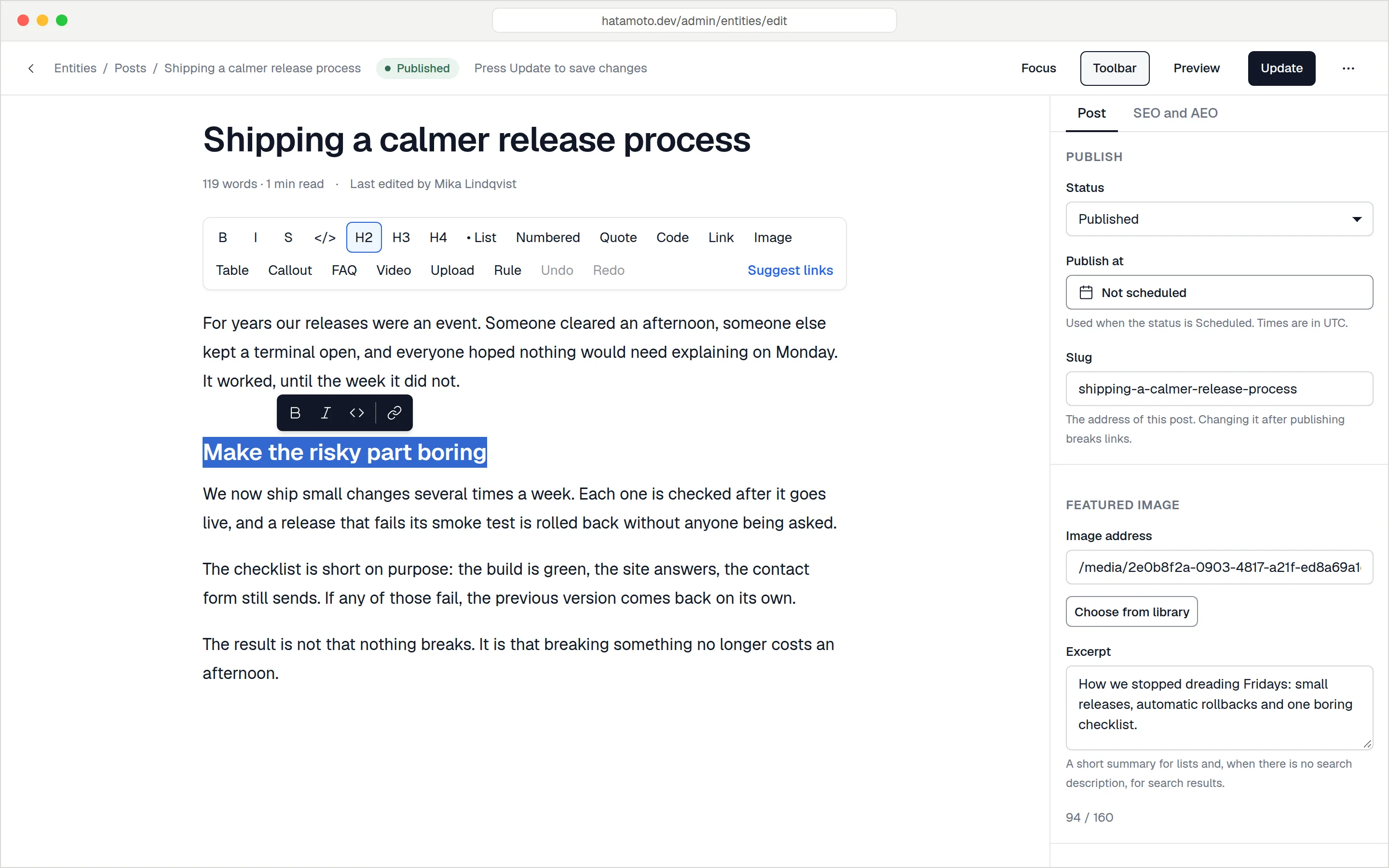
Posts open in a calm writing view with a slash menu, autosave, revisions, FAQ and callout blocks, and an SEO and AEO panel with fourteen search and answer checks. Pages open in a builder with a structure tree, a live preview at desktop, tablet and phone sizes, and an inspector. Both save to the same entity, so the structured data keeps up with whatever you write.
E-E-A-T
Google's quality guidelines weigh who wrote a page and why they're qualified to. In Hatamoto every author is a person entity with a name, photo, job title, short bio and profile links.
{
  "@type": "Person",
  "@id": "https://hatamoto.dev/author/ajay-chavda#person",
  "name": "Ajay Chavda",
  "jobTitle": "Founder",
  "worksFor": { "@id": "https://hatamoto.dev#organization" }
}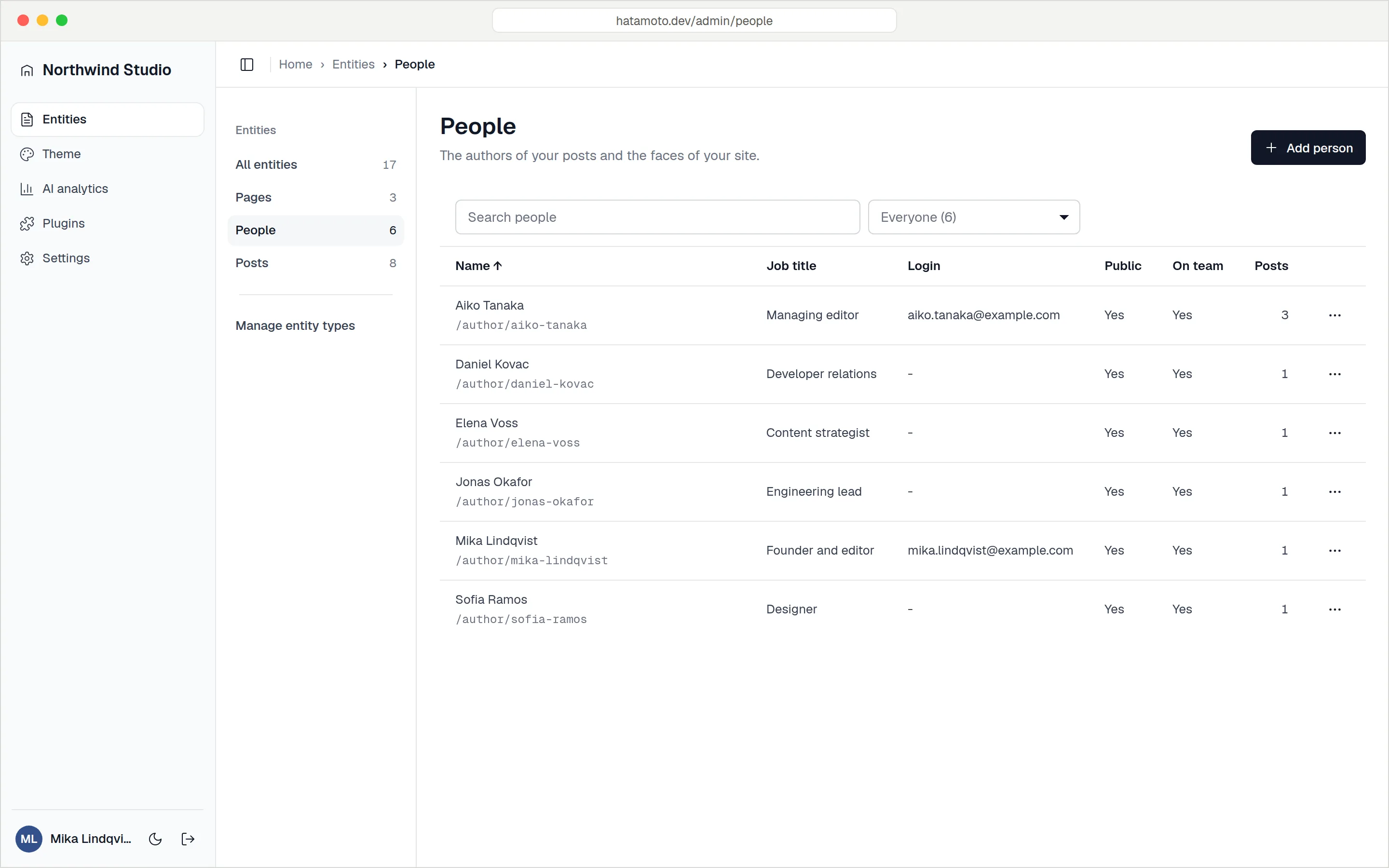
The same @id appears on the profile page and in the author field of every post that person wrote.
Each one uses the same content model, has its own screen in Settings and updates with everything else. There are no banners, upsell notices or licence keys.
After an update, Hatamoto checks your home page, sitemap, a published page and the admin login for a minute. If any of them fails, the previous version comes back and the database is left alone.
Cached pages are served from memory in a few milliseconds. The cache clears when you save, and it can preload every page in your sitemap. No Redis or Varnish.
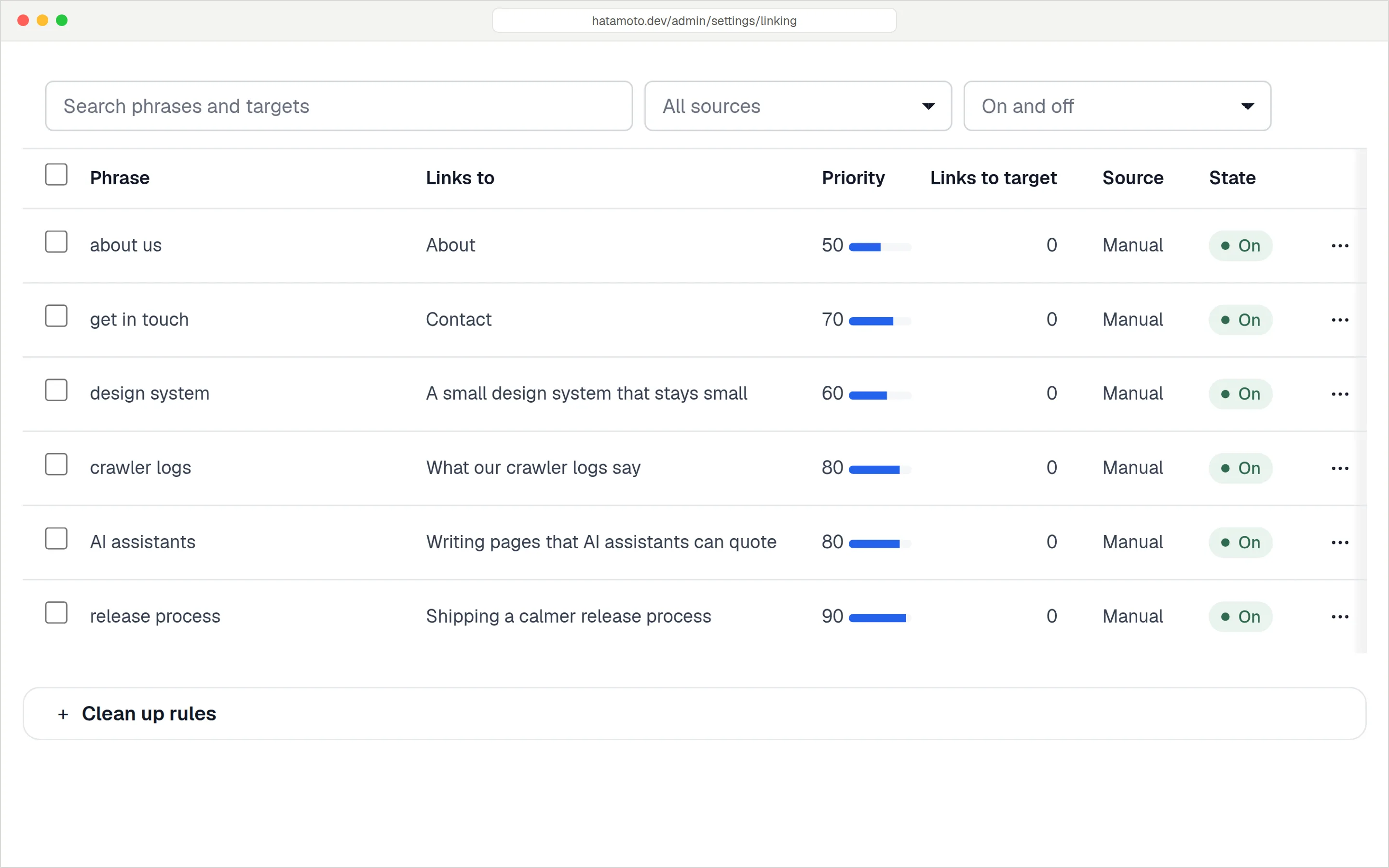
Pair a phrase with a target page once. Hatamoto links it across your content, with a priority and a limit per page.
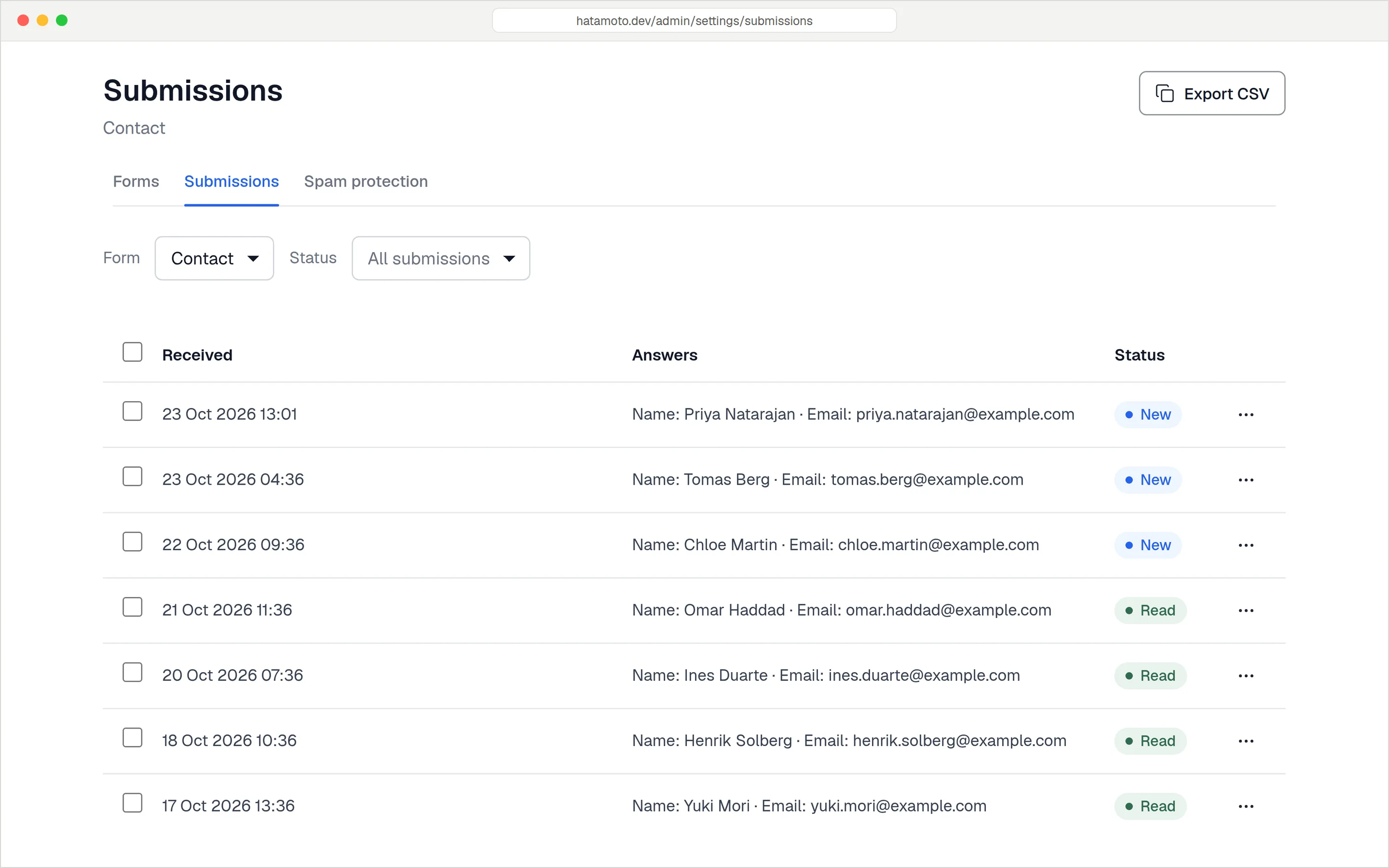
Ten field types, a hidden spam trap instead of a CAPTCHA, email notifications and CSV export. A signed webhook can send each submission to your CRM.
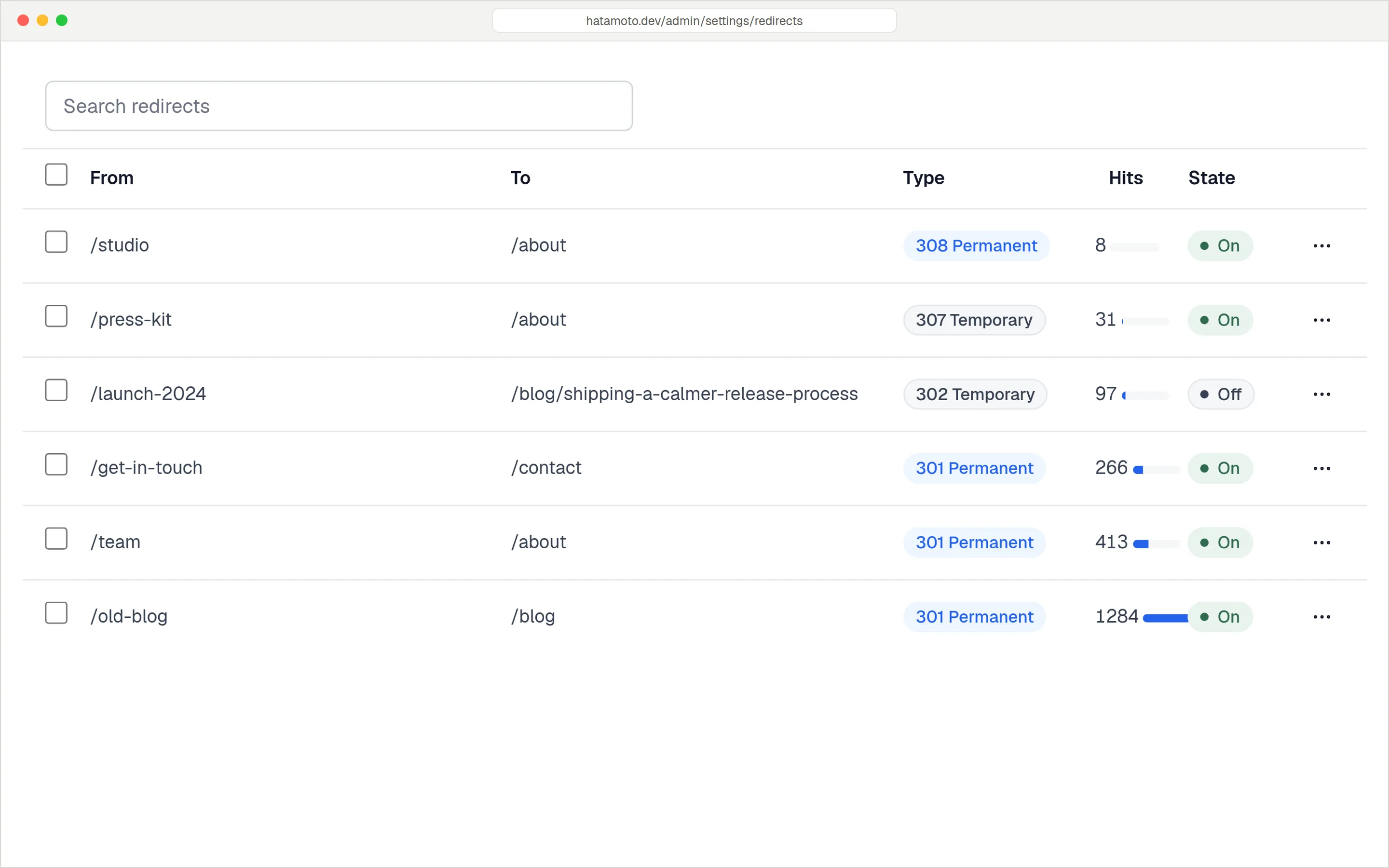
Rules with wildcards, a log of missed addresses, and Explain a URL to show which rule will answer a request.
Built in, not bolted on
Every plugin you add brings its own settings screen, its own update schedule and its own idea of what the page means. Hatamoto keeps all of that in one place.
Assembled
Hatamoto
Plugin SDK
Plugins are WebAssembly modules built with the standard Go toolchain against hatamoto.dev/sdk, or in any language with an Extism PDK. They get typed hooks, their own Postgres schema and only the permissions you grant.
entity.publishedaction, after commitentity.before_savefilter; reject with a reason for a 422jsonld.enrichfilter on generated JSON-LDsitemap.urlsadd entries to the sitemaprender.pagerequest-aware filter: hide or replace blocksform.submittedaction with the submissionPlugins can also ship migrations, a settings form generated from a JSON Schema, routes, cron jobs and an admin page in a sandboxed frame. They install as signed packages without a restart, and a failing plugin never takes the site down.
package main

import (
  "hatamoto.dev/sdk"
  "hatamoto.dev/sdk/guest"
)

func init() {
  guest.OnAction(sdk.EntityPublished,
    func(ev sdk.EntityEvent) error {
      guest.Log(guest.LogInfo, "published "+ev.Slug)
      return nil
    })
}

//go:wasmexport on_entity_published
func onEntityPublished() int32 {
  return guest.Run(sdk.EntityPublished.Export())
}

func main() {}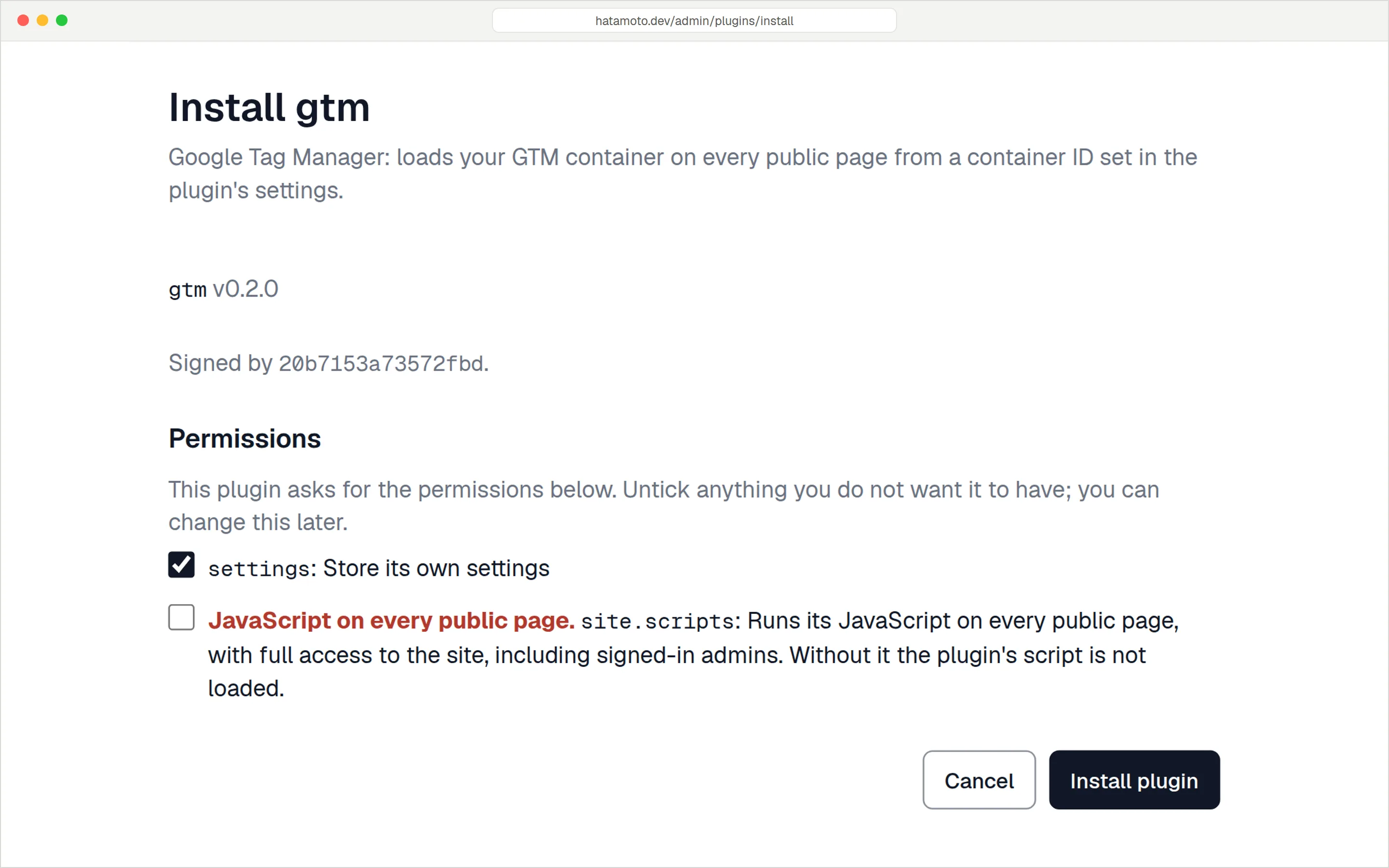
Installing a plugin: signed, versioned, and nothing granted that you didn't tick.
Quickstart
The first boot starts Postgres, generates and saves your secrets, runs every migration and prints a one-time setup code.
Two services start: db and hatamoto.
git clone https://github.com/zenlabscorp/hatamoto
cd hatamoto
docker compose upThe setup code is printed once to the logs.
docker compose logs hatamotoFinish the setup wizard, then start empty, add starter content or import from WordPress.
open http://localhost:8090/adminEvery content type is a JSON Schema annotated with a schema.org type. Pages, JSON-LD, sitemap entries and llms.txt summaries are all generated from the same typed record, so they stay in sync.
No. Meta and canonical fields, redirects, a 404 log, internal linking, sitemaps, feeds, llms.txt, page caching, forms, menus and server-side analytics all ship in core.
Server-side tracking of AI crawlers and assistants. Each hit is sorted by purpose (training, search index or a live user fetch), verified against the operator's published IP ranges and reverse DNS, and reported per page.
A plugin is a WebAssembly module built with the Go SDK, hatamoto.dev/sdk, or any language with an Extism PDK. It subscribes to typed hooks, can ship migrations, routes, cron jobs and a settings form, and runs in a sandbox with only the permissions you grant.
One Go binary and Postgres 16. docker compose up boots both locally. In production the binary runs its own migrations and serves the site, the admin, the API and MCP on one port, with a supervisor that restarts it if it crashes.
Yes. The importer reads the REST API or a WXR export, keeps your URL structure, carries SEO titles over from Yoast, Rank Math or SEOPress, and audits every old URL so it returns a page or a single redirect.
No. Public pages and the admin are rendered on the server from Go templates. The admin uses htmx, and editor code loads only on the screens that need it. There's nothing to build with npm.
Releases are signed and published to an edge or stable channel. Hatamoto installs them in your maintenance window, keeps the previous binary, and checks the site for a minute after switching. If the checks fail it switches back on its own. Database changes are written so the previous version can still run on them.
No telemetry. The only outbound call is an update check, one anonymous request for a signed file, and you can turn it off with HATAMOTO_UPDATES=off.