Hatamoto static site export & Live island
Introducing Static sites and Live Islands.
Today we introduce static exports and Live islands in Hatamoto a feature that is a paid extension in wordpress and other CMSs. It helps a website owner to run their website as a static site while keeping the dynamic parts of the site being served by "islands".
Hatamoto will publish the public site as plain files, to a directory or an S3-compatible bucket behind a CDN, while contact forms, comments, search, consent, the pageview beacon and plugin routes keep working by calling a live Hatamoto server. This feaure ships in the next release shortly.
Static means pages, feeds, sitemaps, theme files and media are written out ahead of time as files and served by any web server or bucket. Islands are the interactive parts of a page that still need a server; in static mode they call a separate live origin that runs Hatamoto.
An HTML page with no extension becomes path/index.html, and the theme's not-found page is written as 404.html. Redirects are written twice: a _redirects file in the Netlify and Cloudflare Pages format, and a small stub page at each exact redirect source with a meta refresh, a canonical link and noindex. A manifest, .hatamoto-static.json, records the path, sha256, size and type of every file.
Support for S3, Cloudflare R2 and some other providers is built in
We have built support for Amazon S3, Clouflare R2, Backblaze, MiniIO and other S3 compatible storage. With the intention of having the offline version of the site to be built soon operated throuh a USB - Fully static sites should be able to run an admin panel offline while being able to publish online in the future. This is particularly useful case for operators that have security compliance and business requirements.
Try a directory export on a test host first
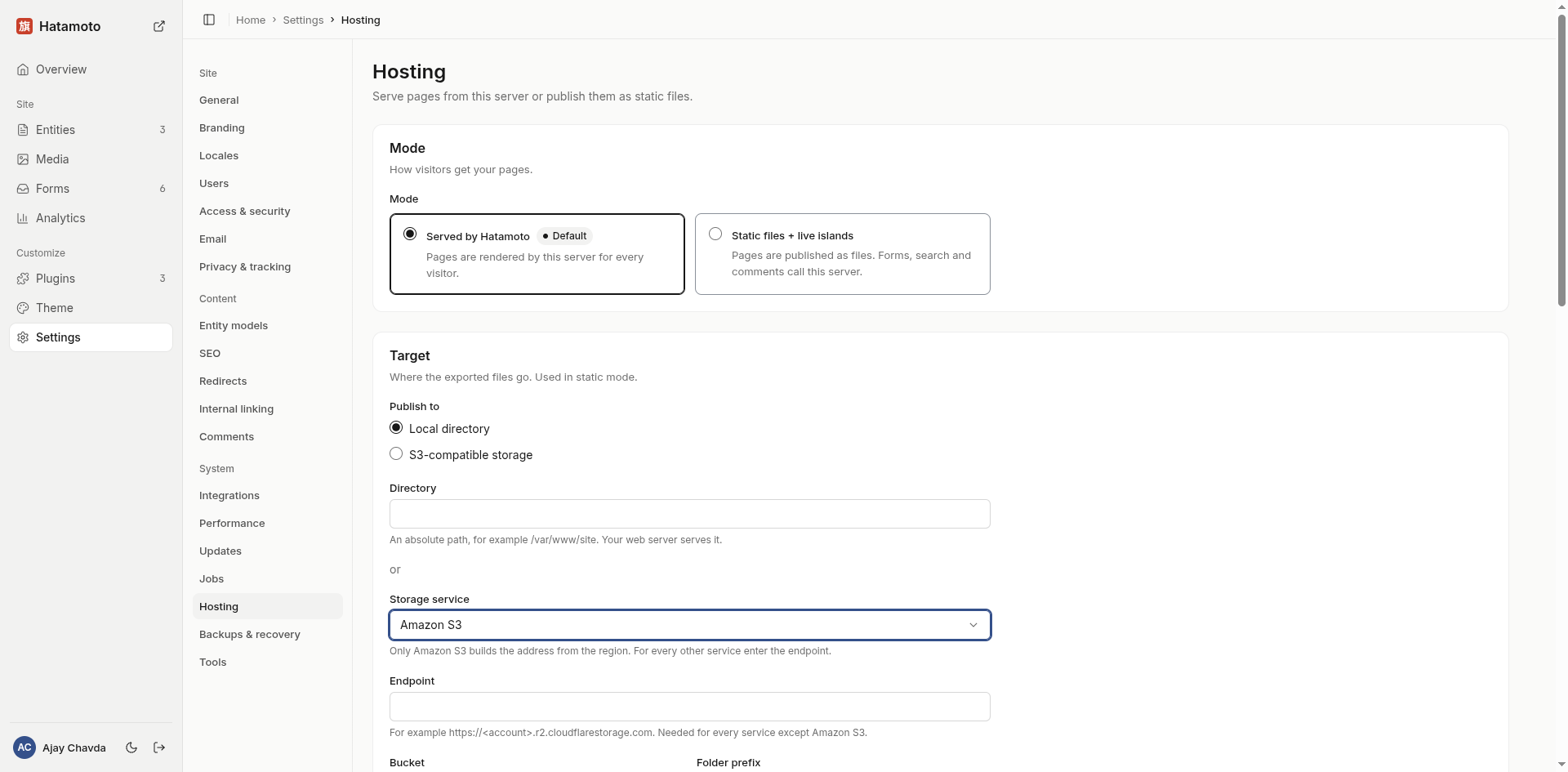
Owners will find the page under Settings > System > Hosting. It has two modes, Served (the default) and Static files + live islands, and a target that is a local directory or S3-compatible storage with endpoint, region, bucket, folder prefix, access key and secret key.
From the command line, with the site address set:
hatamoto static export --out /srv/site-staticwrites to a directory.hatamoto static export --target s3uses theHATAMOTO_STATIC_S3_*environment variables whenHATAMOTO_STATIC_S3_BUCKETis set, and the saved hosting settings otherwise.
If you are still using wordpress or any other CMS - please give hatamoto a try ! - You can even try a free demo from the homepage.